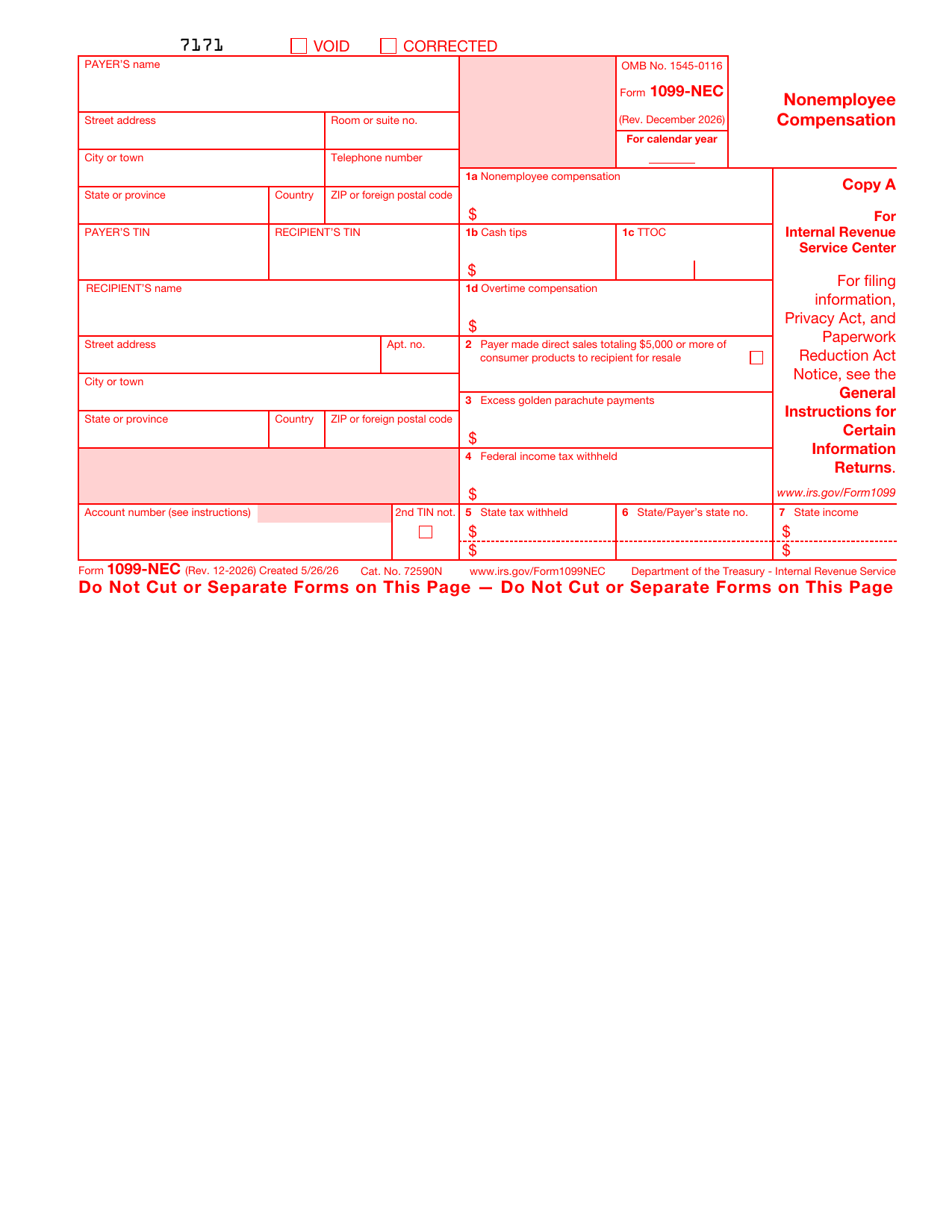
What is a 1099-NEC form?
Form 1099-NEC, Nonemployee Compensation, is an IRS information return that a business uses to report money it paid to someone who is not an employee, such as a freelancer, independent contractor, or vendor. The payer files it with the IRS and gives a copy to the person who was paid.
The recipient uses the 1099-NEC to report that income on their tax return. The version loaded here is the 1099-NEC marked Rev. December 2026, used to report payments for the 2026 calendar year.
What is a 1099-NEC used for?
The 1099-NEC reports payments for services made outside of payroll. Here is what it does:
- Reports nonemployee compensation paid to a contractor or freelancer during the year.
- Tells the IRS how much a business paid for services so the income is on record.
- Gives the recipient the figure they need to report their self-employment income.
- Reports any federal income tax withheld through backup withholding.
What information is required?
Before you start, have the following ready:
- The payer's name, address, and Taxpayer Identification Number (TIN).
- The recipient's name, address, and TIN, usually taken from their Form W-9.
- The total nonemployee compensation paid during the year.
- Any federal income tax withheld, and any state tax details if they apply.
What do the boxes on a 1099-NEC mean?
Each box reports a specific figure:
- Box 1a: nonemployee compensation, the main amount paid for services.
- Boxes 1b, 1c, and 1d: cash tips, the Treasury Tipped Occupation Code, and overtime compensation, when they apply.
- Box 2: a checkbox for direct sales of $5,000 or more of consumer products for resale.
- Box 3: excess golden parachute payments.
- Box 4: federal income tax withheld under backup withholding.
- Boxes 5 to 7: state tax withheld, the state and payer's state number, and state income.
How to fill out a 1099-NEC
Open the form above and work through it box by box:
- Enter the payer's name, address, and TIN on the left.
- Enter the recipient's name, address, and TIN.
- Box 1a: enter the total nonemployee compensation you paid.
- Box 4: enter any federal income tax withheld.
- Boxes 5 to 7: add state details only if you withheld state tax.
- Check box 2 if it applies to direct sales for resale.
The editor guides you field by field, so you can review every entry before you download.
Who needs to file one?
A business generally files a 1099-NEC when, during the year, it paid a non-employee $2,000 or more for services in the course of its trade or business. Common situations include:
- Paying a freelancer or independent contractor for their work.
- Paying a consultant, vendor, or other self-employed person for services.
- Withholding any federal income tax from such a payment, which always requires a 1099-NEC.
- Paying an attorney's fees in the course of business.
If you are the contractor who received the payment, you do not file the 1099-NEC. The business that paid you sends it to you, and you report the income on your own return.
When is a 1099-NEC due?
The 1099-NEC has a single deadline: you must furnish the recipient copy and file with the IRS by January 31 of the year after the payments were made. The same January 31 date applies whether you file on paper or electronically.
Where to get a blank 1099-NEC
A blank, current 1099-NEC is a public-domain document published by the IRS. You can use the official Rev. December 2026 template loaded on this page, fill it in, and download it without visiting any government site or creating an account.
Understanding the 1099-NEC copies
The 1099-NEC has several copies: Copy A for the IRS, Copy 1 for the state tax department, Copy B for the recipient, Copy 2 for the recipient's state return, and Copy C for the payer's records.
Copy A is printed in red because the official paper version filed with the IRS must be the scannable red-ink form or filed electronically. Use this page to prepare and review the form and to produce the recipient copy and your own records.
Where to send it
Give the recipient copy to the person you paid, file Copy A with the IRS, and send any state copy to your state tax department by the deadline. Keep a copy for your own records.
lumr is not affiliated with the IRS. Form 1099-NEC is a public-domain document of the U.S. Internal Revenue Service.