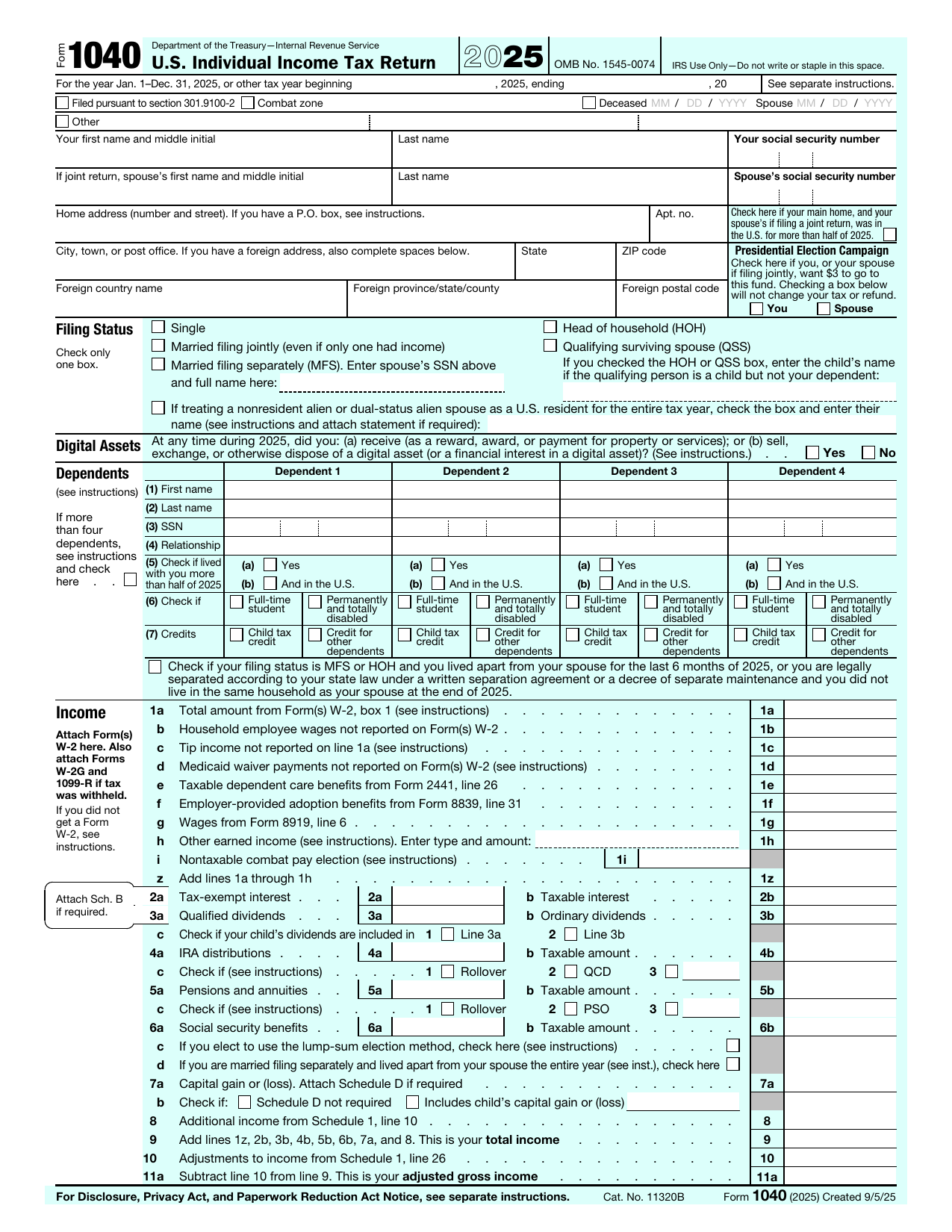
What is Form 1040?
Form 1040, U.S. Individual Income Tax Return, is the IRS form individuals use to report their income for the year and figure how much federal income tax they owe or how large a refund they are due. It is the central document of the U.S. personal tax return.
On the 1040 you report wages, self-employment income, interest, dividends, and other income, then apply deductions and credits to arrive at your final tax. The version loaded here is the official 2025 tax year form, filed in 2026.
What is Form 1040 used for?
Form 1040 pulls your whole tax year together in one place. It is used to:
- Report your total income from every source for the year.
- Claim the standard deduction or itemized deductions, plus any credits you qualify for.
- Calculate your total tax and compare it to what you already paid through withholding and estimated payments.
- Determine whether you owe a balance to the IRS or are owed a refund.
What information do you need?
Before you start, gather the following:
- Your Social Security Number and those of your spouse and dependents.
- Your filing status (single, married filing jointly, married filing separately, head of household, or qualifying surviving spouse).
- Income documents such as W-2s, 1099s, and records of self-employment income.
- Records for deductions and credits you plan to claim.
- Your prior-year return and your bank details if you want a direct-deposit refund.
How to fill out Form 1040
Open the form above and work through it top to bottom:
- Enter your name, address, and Social Security Number at the top.
- Check your filing status and list your dependents.
- Report your income on lines 1 through 9, using the attached schedules where the line tells you to.
- Subtract your standard or itemized deduction to reach taxable income.
- Figure your tax, add other taxes, and apply your credits and payments.
- Compare total tax with total payments to find your refund or amount owed.
- Sign and date at the bottom; a joint return needs both spouses to sign.
The editor guides you field by field, so you can fill in each line without missing a required entry.
Schedules that attach to Form 1040
Many taxpayers file the 1040 alone, but the form often points you to a numbered or lettered schedule when your situation calls for it:
- Schedule 1 for additional income and adjustments to income.
- Schedule 2 for additional taxes such as self-employment tax.
- Schedule 3 for additional credits and payments.
- Schedule A to itemize deductions instead of taking the standard deduction.
- Schedule B for interest and ordinary dividends, Schedule C for business profit or loss, Schedule D for capital gains, and Schedule SE for self-employment tax.
Who needs to file Form 1040?
Most U.S. citizens and residents file a 1040 if their income is above the filing threshold for their status and age. You may also need to file even below the threshold, for example to claim a refund of withheld tax or to qualify for a refundable credit. Common filers include:
- Employees with wages reported on a W-2.
- Self-employed people, freelancers, and gig workers.
- Investors with interest, dividends, or capital gains.
- Anyone owed a refund or claiming a credit such as the Earned Income Tax Credit.
When is Form 1040 due?
Form 1040 is generally due on April 15 of the year after the tax year, so the 2025 return is due April 15, 2026. When that date falls on a weekend or holiday, the deadline moves to the next business day.
If you need more time you can request an automatic extension to file, but an extension to file is not an extension to pay. Any tax you owe is still due by the April deadline to avoid interest and penalties.
Where to get a blank Form 1040
A blank, current Form 1040 is a public-domain document published by the IRS. You can use the official 2025 tax year template loaded on this page, fill it in, and download it without visiting a government site or creating an account.
How to sign it online
You can sign your 1040 electronically right in the editor. Draw, type, or upload your signature, place it on the signature line, and add the date. On a joint return both spouses sign. The signed PDF is ready to keep or send.
Where to file Form 1040
You file Form 1040 with the IRS, either electronically through a tax provider or by mailing the paper return. The correct mailing address depends on the state you live in and whether you are enclosing a payment, so check the address list in the IRS instructions before you mail it.
lumr is not affiliated with the IRS. Form 1040 is a public-domain document of the U.S. Internal Revenue Service.